Free invoice template for South Africa.
Download it in Excel or Word with ZAR and 15% VAT ready to go, or fill it in online and send it with a Pay Now link in under a minute.
- Excel version works out VAT and totals
- Word version, easy to type into
- Has every field a SARS tax invoice needs
- Online version: free for 5 invoices a month
Word and Excel templates only get you halfway.
You still have to number every invoice, save a PDF, email it, and chase your client for payment. That's fine for one invoice. It gets old fast after ten.
The same template, but it does the work for you.
Fill in the client and what you did. LekkerVoice works out totals and VAT, numbers the invoice, makes the PDF, emails it and adds a pay link.
- 15% VAT worked out automatically
- Branded PDF for every invoice
- Pay page with QR code for your client
- Automatic reminders when payment is late
| Description | Qty | Unit | Total |
|---|---|---|---|
| Brand identity design | 1 | R 2,000.00 | R 2,000.00 |
| Landing page (5 sections) | 1 | R 500.00 | R 500.00 |
| Revisions & QA | 1 | R 108.70 | R 108.70 |
Thank you for your business. Payment via EFT preferred. Please use the invoice number as your reference.
Live preview of a LekkerVoice invoice PDF.
Download the free invoice template
No email or sign-up needed. Free to use, forever.
Excel invoice template (.xlsx)
Adds up totals for you. Opens in Google Sheets too.
Download ExcelWord invoice template (.docx)
Easy to type into and print. Opens in Google Docs too.
Download WordOr fill it in online and download a PDF
Our free invoice maker works out VAT and totals. No account needed.
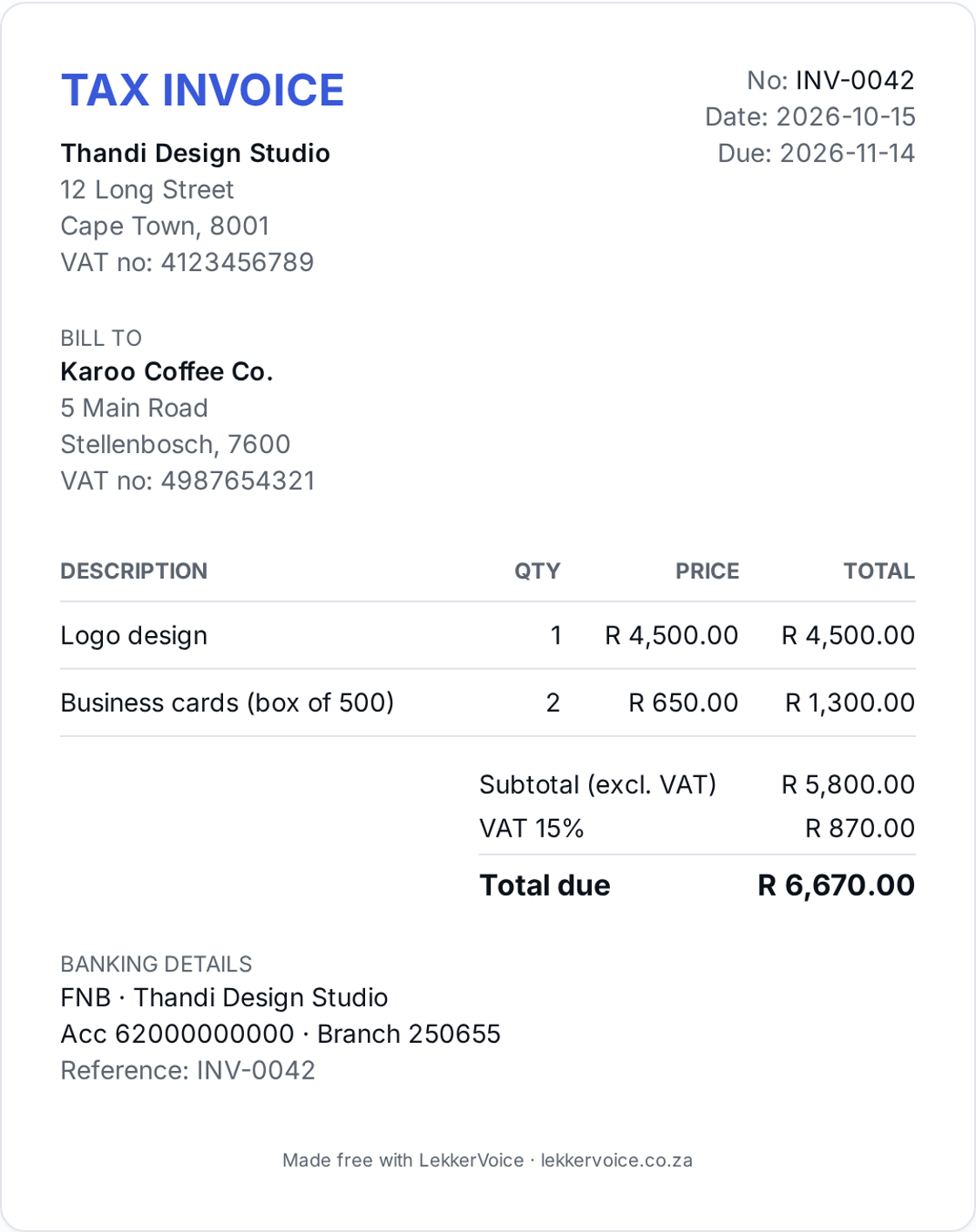
What a South African tax invoice must include
If you're VAT registered, SARS expects a full tax invoice for any sale over R5,000. It needs:
- The words “Tax invoice”
- Your business name, address and VAT number
- Your client’s name, address and VAT number (if registered)
- A unique, sequential invoice number
- The date the invoice is issued
- A description and quantity of what you supplied
- The amount excluding VAT, the VAT charged and the total
Which invoice do you need?
| Invoice amount (incl. VAT) | What you need |
|---|---|
| Over R5,000 | Full tax invoice |
| R50 – R5,000 | Abridged tax invoice (client details not needed) |
| Under R50 | No tax invoice needed, a till slip is fine |
| Not VAT registered | A normal invoice, with no VAT and no “Tax” |
More detail in our guide to VAT on South African invoices, or use the VAT invoice template.
How to fill in your invoice
- Add your details. Business name, address, and VAT number if you're registered.
- Add your client. Their name and address, plus their VAT number for invoices over R5,000.
- Number and date it. Use a new number every time, like INV-0001, INV-0002.
- List what you did. One line per item, with quantity and price excluding VAT.
- Check the totals. Subtotal, 15% VAT and total due.
- Add banking details and a due date. Ask the client to use the invoice number as the payment reference.
Want tips on getting paid faster? Read how to invoice as a freelancer in South Africa and our payment reminder templates.
Frequently asked questions
- Is the invoice template really free?
- Yes. The Excel and Word downloads are free with no sign-up. The online version is free for up to 5 invoices a month, forever, with no card required.
- What must a South African tax invoice include?
- For invoices over R5,000 a full tax invoice needs the words 'Tax invoice', your name, address and VAT number, the client's name, address and VAT number, a unique invoice number, the date, a description and quantity of the goods or services, and the value, VAT amount and total. Between R50 and R5,000 an abridged tax invoice without the client's details is enough.
- I'm not VAT registered. Can I still use this template?
- Yes. Remove the word 'Tax' so it just says 'Invoice', leave out the VAT number and set VAT to 0%. You may not charge VAT or call it a tax invoice unless you are registered with SARS.
- Does it include 15% South African VAT?
- Yes. The Excel template and the online version work out 15% VAT and the total automatically. You can switch VAT off if you're not registered.
- Excel, Word or online — which should I use?
- Excel adds up the totals and VAT for you. Word is easiest to type into. The online version also numbers invoices for you, saves a PDF, emails it to your client and adds a Pay Now link.
- Can my client pay the invoice online?
- With the online version, yes. Connect your own PayFast or Yoco account and every invoice gets a Pay Now link and QR code. We never take a cut.
- Can I add my logo and banking details?
- Yes. Type them into the download, or set your logo, EFT banking details, VAT number and brand colour once online and every invoice uses them.
Ready to send your first invoice?
Free plan covers up to 5 invoices a month, forever. No card required.
Start free